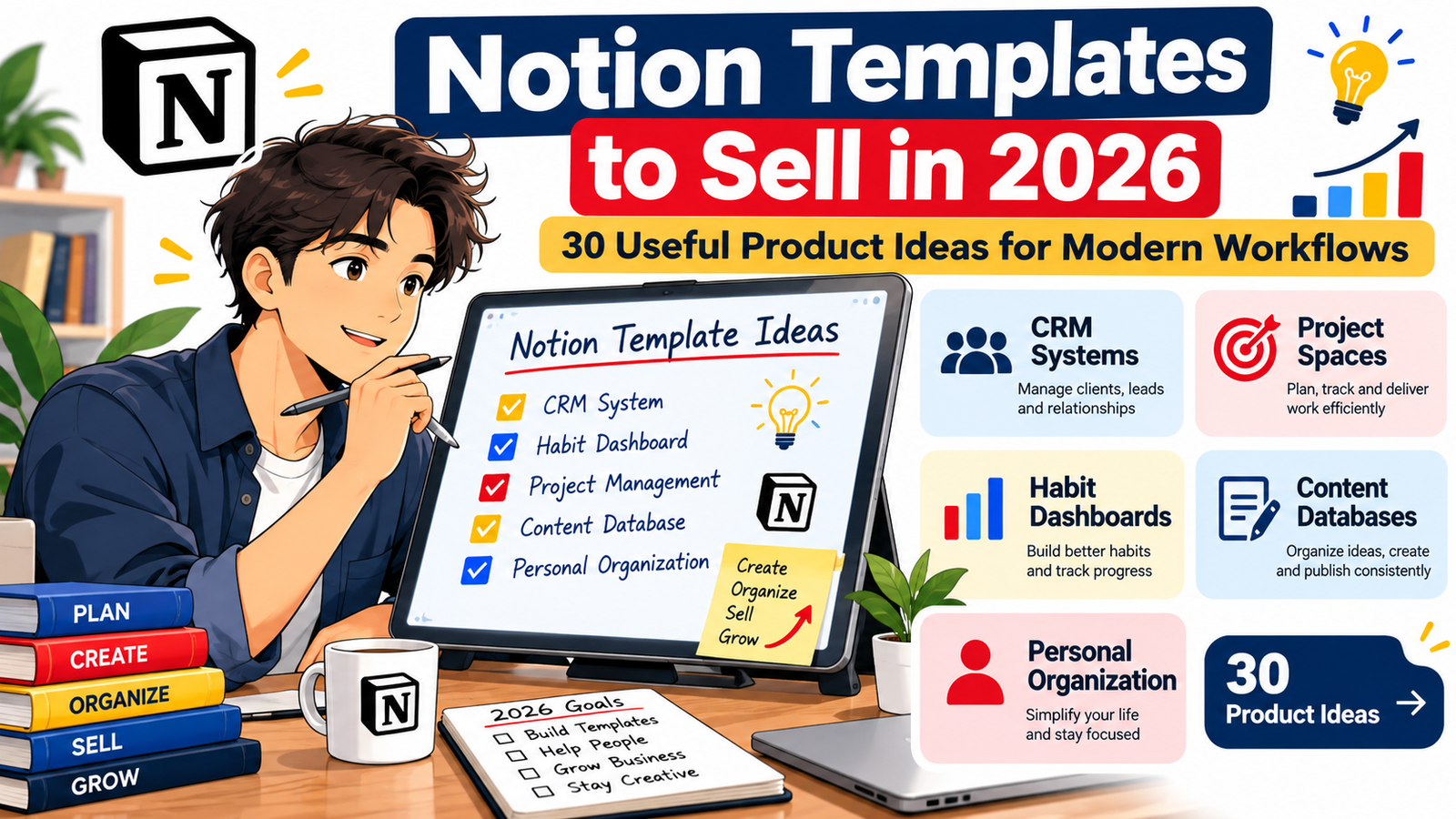
30 Useful Product Ideas for Modern Workflows
Notion templates have moved far beyond simple weekly planners.
In 2026, people are using Notion to organize clients, projects, content production, personal goals, business operations, finances, learning, habits, meetings, digital products, and increasingly complex workflows.
That creates an interesting opportunity for digital product creators.
Instead of designing another generic productivity dashboard, you can build a focused system that solves one specific problem for one specific type of customer.
A freelancer may want a lightweight CRM that tracks leads, proposals, projects, invoices, and follow-ups.
A content creator may want one workspace for ideas, scripts, sponsorships, publishing schedules, and performance notes.
A small business owner may need a simple operating system connecting projects, SOPs, clients, meetings, and goals.
A student may want assignments, study sessions, exams, notes, and long-term learning goals in one organized space.
That is why some of the best Notion templates to sell in 2026 are not necessarily the most complicated. They are the ones that make an existing workflow easier to understand and easier to use.
If you are looking for Notion digital product ideas, this guide covers 30 practical concepts across CRM systems, project spaces, habit dashboards, content databases, business systems, and personal organization.
Why Notion Templates Remain an Attractive Digital Product in 2026
A Notion template has several characteristics that make it attractive as a digital product.
It can be created once and distributed repeatedly.
There is no physical inventory.
Delivery can be almost immediate.
Templates can be updated as workflows change.
One basic system can also evolve into several products for different audiences.
For example, a general client CRM could later become:
- a photographer CRM
- a marketing freelancer CRM
- a real-estate lead tracker
- a design studio client portal
- a consultant sales pipeline
- a virtual assistant client manager
The underlying system may be similar, but the terminology, database properties, examples, instructions, views, and workflow can be customized for each audience.
That specificity is important.
A potential customer is often more interested in a template called Freelance Designer Client CRM than a product simply called Ultimate Notion Dashboard.
Specificity helps the buyer immediately understand the product.
It also creates clearer search intent.
What Makes a Notion Template Worth Paying For?
Free Notion templates are widely available, so a paid template needs to provide more than an attractive homepage.
A strong commercial template usually combines several qualities.
It solves a recognizable problem
The buyer should immediately understand what the template helps them do.
“Manage your freelance clients from inquiry to completed project” is clearer than “Organize your life and business.”
It reduces setup time
Customers are frequently paying for convenience.
They may be capable of building a project database themselves, but they would rather purchase a thoughtfully organized system and start using it today.
It has a logical workflow
A beautiful workspace can still be frustrating if users do not know what to do next.
Good templates guide people through a process.
For example:
Lead → Qualification → Proposal → Client → Project → Delivery → Follow-up
That is more useful than five disconnected databases.
It is easy to customize
Users should be able to rename categories, remove unnecessary sections, change views, and personalize the workspace without rebuilding everything.
It explains how to use the system
Include an onboarding page, quick-start guide, sample entries, workflow explanation, and instructions for important databases.
The easier your product is to understand, the more valuable it feels.
30 Notion Templates to Sell in 2026
Here are 30 Notion template ideas for 2026 designed around practical modern workflows.
1. Freelancer CRM and Client Management System
A freelancer CRM can organize the entire journey from a new inquiry to a completed client project.
Possible sections include:
- lead database
- client directory
- sales pipeline
- proposal tracker
- project database
- meeting notes
- payment status
- follow-up reminders
- testimonials
- referral tracking
You could create specialized versions for writers, designers, developers, virtual assistants, photographers, consultants, or social media managers.
Ideal buyer: freelancers and independent consultants.
Product opportunity: sell a basic CRM and a more advanced business-management edition.
2. Small Business CRM
Small businesses often need something more structured than a spreadsheet but less complicated than enterprise CRM software.
A Notion CRM could include contacts, companies, deals, activities, meetings, follow-ups, sales stages, and customer notes.
Useful dashboard views might show:
- new leads
- active opportunities
- overdue follow-ups
- recently contacted prospects
- won deals
- lost opportunities
Keep the interface simple.
A buyer should be able to understand the pipeline within minutes.
3. Solopreneur Business Operating System
This is a larger Notion digital product designed to manage several areas of a one-person business.
It might connect:
- goals
- projects
- tasks
- customers
- products
- content
- finances
- meetings
- SOPs
- ideas
The selling point is not the number of databases.
It is the relationship between them.
A goal can connect to projects. Projects connect to tasks. Products connect to marketing campaigns. Meetings connect to clients.
That creates a genuine operating system rather than a collection of pages.
4. Client Portal Template
A client portal gives customers one organized location for everything related to a project.
Include sections for:
- welcome information
- project scope
- timeline
- deliverables
- meeting notes
- requested files
- approvals
- useful links
- FAQs
- next steps
Create industry-specific editions for branding agencies, web designers, consultants, coaches, wedding planners, architects, and marketing teams.
5. Project Management Workspace
Project management remains one of the most natural uses of Notion.
A useful template could connect:
Projects → Tasks → Milestones → Meetings → Resources
Include multiple database views such as:
- active projects
- upcoming deadlines
- calendar
- priority tasks
- blocked tasks
- completed projects
- project timeline
Rather than trying to compete by adding hundreds of features, focus on making project status understandable at a glance.
6. Agency Project and Client Workspace
Agencies need to manage clients and internal production simultaneously.
Build a workspace containing:
- clients
- contacts
- projects
- tasks
- team members
- briefs
- deliverables
- recurring work
- approvals
- meetings
A dashboard could answer:
What needs attention today?
Which client projects are behind?
What is waiting for approval?
What work is due this week?
That type of operational clarity can become a strong selling point.
7. Product Launch Planner
Creators and small businesses regularly launch courses, ebooks, templates, memberships, communities, services, and other digital products.
A Notion product launch planner might contain:
- launch objectives
- product positioning
- audience research
- messaging
- content calendar
- landing-page checklist
- email sequence
- affiliate outreach
- launch tasks
- post-launch review
You could also offer separate editions for course launches, ebook launches, SaaS launches, and digital download stores.
8. Content Creator Command Center
Modern creators usually work across several platforms.
Instead of creating separate planners for each channel, build one content system that manages the entire workflow.
Databases could include:
- ideas
- content pieces
- platforms
- campaigns
- content pillars
- sponsors
- assets
- calls to action
- repurposing opportunities
Possible statuses:
Idea → Research → Draft → Editing → Scheduled → Published → Repurpose
This can work for bloggers, YouTubers, podcasters, newsletter writers, and social media creators.
9. Social Media Content Database
Create a focused template for people who want to organize social content without purchasing a massive creator operating system.
Include:
- content ideas
- hooks
- captions
- formats
- platforms
- publishing dates
- campaigns
- CTAs
- asset links
- performance notes
Users could filter content by platform, content pillar, campaign, format, or status.
10. YouTube Production System
Build a workspace that follows a video from initial idea through publication.
Useful sections include:
- video ideas
- keyword research
- research notes
- titles
- thumbnail concepts
- scripts
- recording checklist
- editing status
- sponsorship details
- publishing schedule
- performance review
A helpful additional feature is an idea score based on audience relevance, effort, commercial potential, and timeliness.
11. Podcast Management Template
A podcast template can organize both editorial production and guest management.
Consider including:
- episode ideas
- guest database
- outreach status
- interview research
- recording schedule
- episode checklist
- sponsorships
- show notes
- publishing calendar
- repurposing ideas
Create separate versions for solo podcasts, interview shows, and business podcasts.
12. Newsletter Editorial System
Newsletter creators need more than a publishing calendar.
A useful newsletter workspace can manage:
- issue ideas
- research sources
- recurring sections
- sponsors
- editorial calendar
- subject-line ideas
- CTAs
- audience questions
- experiments
- performance notes
It can also include an archive that makes older ideas and published topics easy to search.
13. SEO Content Planning System
An SEO-focused template can help bloggers and businesses manage their content strategy without trying to replace dedicated SEO software.
Useful databases could include:
- keyword ideas
- search intent
- topic clusters
- content briefs
- publishing status
- internal links
- content updates
- competitors
- CTAs
- conversion goals
Connect individual articles with a larger topic cluster so users can visualize topical coverage.
14. Digital Product Seller Dashboard
This is especially relevant for creators selling ebooks, spreadsheets, Canva templates, Notion templates, prompt collections, printables, or digital bundles.
Include databases for:
- products
- product ideas
- storefront listings
- prices
- product assets
- launch dates
- marketing campaigns
- customer questions
- updates
- sales notes
A product pipeline might follow:
Idea → Research → Creation → Packaging → Listing → Promotion → Update
15. Digital Product Idea Validation System
Not every product idea deserves to become a product.
Build a research dashboard that helps creators evaluate opportunities before investing substantial time.
Possible criteria include:
- customer problem
- target audience
- existing alternatives
- competitive differentiation
- creation difficulty
- pricing potential
- marketing channels
- recurring demand
- expansion potential
Users could score ideas and prioritize the ones worth testing.
16. Online Course Creation Planner
Course creators need to manage curriculum development, production, assets, launches, and student resources.
Include:
- course promise
- target student
- curriculum
- modules
- lessons
- scripts
- recording status
- worksheets
- assessments
- launch tasks
- student feedback
A progress dashboard can show exactly how much of the course is planned, recorded, edited, and published.
17. Creator Sponsorship CRM
Creators increasingly need a system for managing potential brand collaborations.
A sponsorship CRM could track:
- brands
- contacts
- outreach
- campaign briefs
- rates
- deliverables
- deadlines
- payments
- contracts
- follow-ups
Create versions for YouTubers, Instagram creators, TikTok creators, podcasters, and newsletter publishers.
18. Job Search Command Center
Job seekers often manage opportunities across email, job boards, LinkedIn, networking, and referrals.
A Notion job-search template could contain:
- company database
- job applications
- contacts
- networking conversations
- interview schedule
- interview preparation
- salary information
- follow-up tasks
- application documents
Useful stages could include:
Saved → Applied → Screening → Interview → Offer → Closed
19. Career Development Dashboard
This goes beyond job applications.
Create a long-term professional development system containing:
- career goals
- skills
- projects
- achievements
- courses
- certifications
- networking contacts
- portfolio evidence
- quarterly reviews
A professional can use it throughout several years rather than only during a job search.
20. Meeting and Decision Management System
Meetings produce enormous amounts of information that often disappear inside notes.
Build a system connecting:
Meetings → Decisions → Action Items → Projects → People
Users could quickly find:
- unresolved decisions
- tasks created from meetings
- previous discussions on a topic
- decisions related to a particular project
- commitments made by each person
This makes the template useful for founders, managers, consultants, and remote teams.
21. SOP and Knowledge Base Template
Small organizations often have important procedures scattered across documents and messages.
Create an internal knowledge system with categories such as:
- standard operating procedures
- onboarding
- tools
- policies
- workflows
- troubleshooting
- frequently asked questions
- team resources
Each SOP could contain:
Purpose
Owner
Last reviewed date
Required tools
Step-by-step process
Related resources
This type of template can become more valuable as the customer’s organization grows.
22. Habit Dashboard With Reflection System
Habit trackers are common, which means differentiation matters.
Instead of only showing checkboxes, create a system connecting daily habits with goals and reflections.
Include:
- daily habits
- weekly review
- streaks
- monthly goals
- habit categories
- obstacles
- lessons
- progress notes
A customer should be able to understand not only whether a habit happened but why consistency improved or declined.
23. Personal Productivity Dashboard
A personal productivity system can combine several everyday workflows without becoming overwhelming.
Possible components:
- inbox
- tasks
- projects
- goals
- calendar
- notes
- routines
- reviews
The key is progressive complexity.
Give beginners a simple dashboard while making advanced views available when needed.
24. Personal Life Admin System
Many people have dozens of administrative responsibilities that do not fit neatly inside a daily planner.
Create a dashboard for:
- important documents
- subscriptions
- warranties
- renewals
- appointments
- household information
- vehicle records
- recurring tasks
- important contacts
- personal projects
Position it around reducing administrative clutter rather than maximizing productivity.
25. Subscription and Renewal Tracker
This can work as a lower-priced entry product.
Track:
- service name
- category
- monthly or annual cost
- billing frequency
- renewal date
- payment method
- cancellation information
- notes
Provide views for upcoming renewals, annual subscriptions, business subscriptions, and personal subscriptions.
You can later bundle this template into a larger personal finance or life-management system.
26. Personal Finance Organizer
A Notion finance template can help people organize financial information and planning, while clearly avoiding promises that it replaces professional financial advice.
Sections might include:
- monthly budget planning
- recurring expenses
- savings goals
- subscriptions
- financial accounts directory
- purchase planning
- annual financial review
Keep calculations understandable and clearly explain what the template does and does not do.
27. Learning and Skill Development System
People increasingly learn through courses, books, videos, communities, newsletters, and hands-on projects.
Build a learning dashboard connecting:
Skills → Resources → Notes → Practice → Projects
A user studying copywriting, programming, design, marketing, AI, languages, or business could track what they consume and, more importantly, how they apply it.
28. Reading and Knowledge Management System
Go beyond a simple book tracker.
Create a system for capturing:
- books
- articles
- research papers
- podcasts
- videos
- quotes
- insights
- questions
- topics
- action ideas
Allow users to connect one insight with multiple sources.
This makes the product useful for writers, researchers, students, consultants, and lifelong learners.
29. Goal Planning and Quarterly Review System
Annual goals frequently disappear after January.
A quarterly system can make planning more practical.
Build relationships between:
Annual Direction → Quarterly Goals → Projects → Weekly Actions → Reviews
Include monthly and quarterly reflection prompts such as:
What moved forward?
What stalled?
What should be stopped?
What deserves more attention?
What is the next meaningful milestone?
This creates a useful planning process instead of simply another goal list.
30. Family Organization Hub
A shared family workspace can centralize information that would otherwise live across calendars, messages, paper notes, and separate apps.
Possible sections include:
- family calendar
- household tasks
- meal planning
- important contacts
- school information
- household projects
- travel plans
- shopping lists
- important documents directory
- recurring responsibilities
The strongest version should be easy enough for several family members to understand without lengthy training.
Which Notion Template Categories Look Most Useful for 2026?
The opportunity is not simply to identify a popular category.
Popular categories usually attract more competition.
A stronger strategy is to combine an established workflow with a clearly defined customer.
Instead of:
CRM Template
consider:
CRM for Freelance Web Designers
Instead of:
Content Planner
consider:
YouTube Content System for Educational Creators
Instead of:
Project Manager
consider:
Notion Project Workspace for Small Marketing Agencies
Instead of:
Habit Tracker
consider:
90-Day Habit and Reflection Dashboard for Busy Professionals
This creates what might be called a workflow + audience + outcome positioning strategy.
The formula is simple:
Template Type + Specific User + Clear Use Case
For example:
CRM + Photographer + Manage inquiries and bookings
Content Database + Newsletter Creator + Plan and repurpose weekly issues
Project Workspace + Consultant + Manage client delivery
Product Dashboard + Digital Seller + Track products from idea to launch
Knowledge Base + Small Team + Document repeatable procedures
That is considerably more specific than trying to sell to every Notion user.
How to Choose a Notion Template Idea Before Building It
Do not begin with design.
Begin with the problem.
Ask five questions.
Who will use this template?
Define the user clearly.
“Creators” is broad.
“Solo YouTube educators publishing two videos per week” is much more useful.
What repeated problem does this person have?
Look for activities that happen repeatedly.
Examples include:
tracking prospects
planning content
managing client projects
reviewing goals
organizing research
documenting processes
following up after meetings
Repeated problems are particularly suitable for workflow templates.
What information needs to connect?
This is where Notion databases can provide more value than a static PDF.
For example:
Clients connect to projects.
Projects connect to tasks.
Content connects to campaigns.
Goals connect to projects.
Courses connect to learning notes.
Books connect to ideas.
Build around useful relationships rather than adding databases simply to make a product look larger.
What does the buyer want to see immediately?
Design the dashboard around decisions.
A project manager may want overdue tasks.
A freelancer may want leads requiring follow-up.
A creator may want content ready for publishing.
A student may want upcoming assignments.
The homepage should surface useful information rather than merely act as decoration.
Can a new customer understand it quickly?
Complexity can reduce perceived value if buyers struggle to use the system.
A powerful template that requires one hour of explanation may perform worse than a simpler template that becomes useful in five minutes.
How to Make Your Notion Digital Product More Valuable
You do not necessarily need more pages.
Improve the complete customer experience.
Include sample data
An empty workspace can be difficult to understand.
Add realistic examples so customers can see how the workflow operates.
Create a Start Here page
Explain:
What the template does
Who it is for
How the databases connect
What the customer should customize first
How to remove sample information
Include multiple useful views
A single database can serve multiple purposes through filtered views.
For example, a task database could have:
Today
This Week
Overdue
High Priority
By Project
Completed
Use helpful templates inside databases
Create pre-built entries for recurring activities such as:
new client
new project
weekly review
content brief
meeting notes
product launch
Keep unnecessary complexity out
More databases do not automatically create a better product.
Every component should answer a real user need.
How to Create a Notion Template Product Line
One of the strongest commercial strategies is to avoid relying on a single product.
Start with one core customer.
Imagine your audience is freelance content marketers.
You could create:
Freelancer CRM
Client Portal
Content Production System
Proposal Tracker
Project Management Workspace
Monthly Business Review
Lead Pipeline
Content Calendar
Freelancer Business OS
These products can later become a bundle.
The customer who buys an inexpensive template can also discover your larger systems.
This creates a natural product ladder.
Entry Product
A focused template solving one problem.
Example:
Freelance Lead Tracker
Core Product
A larger system.
Example:
Freelancer CRM and Project Manager
Premium Product
A connected workspace covering much of the customer’s operation.
Example:
Complete Freelance Business Operating System
This approach can increase commercial value without forcing every customer to purchase the most complex product.
Pricing Notion Templates
There is no universal price that works for every Notion digital product.
Pricing depends on factors such as:
- scope
- complexity
- originality
- target customer
- documentation
- included resources
- specialization
- support
- competitive alternatives
A simple tracker and a complete business operating system should not necessarily have the same pricing strategy.
Rather than asking only, “How many pages does this template contain?” consider asking:
“How much setup, organization, and decision-making does this product save the buyer?”
A clean five-database workflow can sometimes provide more practical value than a dashboard containing fifty disconnected pages.
Where to Sell Notion Templates in 2026
Creators can build distribution through several channels.
One obvious option is the official Notion Marketplace, where customers already search for Notion products.
Creators can also sell through their own digital storefronts or supported third-party ecommerce platforms, depending on their business setup and applicable platform rules.
Your own website can be particularly useful if you want to build organic search traffic around specific problems.
For example, someone selling a freelance CRM could publish genuinely helpful articles about:
- how freelancers track leads
- how to manage client onboarding
- how to organize freelance projects
- client follow-up systems
- freelance workflow examples
The template then becomes a natural next step for readers who want an implementation-ready system.
That is stronger than repeatedly publishing promotional posts that only say, “Buy my template.”
SEO Strategy for Selling Notion Templates
SEO begins with understanding search intent.
Someone searching:
Notion CRM template for freelancers
is much closer to a product decision than someone searching:
what is Notion
Your product pages and supporting articles should address specific problems.
Relevant keyword themes might include:
Primary keywords
Notion templates to sell
Notion digital products
Notion template ideas 2026
best Notion templates to sell
sell Notion templates
Secondary keywords
Notion business templates
Notion productivity templates
Notion CRM template
Notion project management template
Notion content planner
Notion habit tracker
Notion personal dashboard
Notion client portal
digital products to sell online
Long-tail keyword examples
best Notion templates to sell in 2026
Notion template ideas for digital product sellers
Notion CRM template ideas for freelancers
Notion templates for small business owners
Notion templates for content creators
how to create Notion templates to sell
profitable Notion digital product ideas
Use keywords only when they naturally describe the page.
Do not force the same keyword into every heading.
GEO and AEO: Make the Article Easy for Search and AI Systems to Understand
Search behavior increasingly includes longer conversational questions.
That means your content should provide direct answers.
For example:
What Notion templates can I sell?
You can create Notion templates for CRM, project management, content planning, habit tracking, personal organization, course creation, client management, knowledge management, goal planning, and many other repeatable workflows.
That answer is clear enough for a human reader while also making the page easy to interpret.
Use descriptive headings.
Provide definitions.
Explain who each product is for.
Include practical examples.
Answer related questions.
Keep important facts consistent across your website.
Avoid filler written only to increase article length.
The goal should be to become a useful source on the subject, not simply to insert more keywords.
How to Improve Google Discover Potential
No publisher can guarantee that an article will appear in Google Discover.
However, you can make the page more suitable for discovery.
Use a clear, descriptive headline such as:
Notion Templates to Sell in 2026: 30 Useful Product Ideas for Modern Workflows
Avoid exaggerated titles such as:
These 30 Notion Templates Will Make You Rich in 2026
The first title accurately explains what the reader will receive.
The second makes an unsupported promise.
Create an original, relevant featured image that clearly represents digital organization, dashboards, workflow planning, or Notion-style productivity.
For Discover-oriented publishing, a high-resolution landscape image of at least 1200 pixels wide is a strong choice.
The article should also provide substantial information beyond the featured image.
Strong Discover-oriented content should feel useful even if the reader was not actively searching for it.
That means the opening matters.
Examples, insights, current workflow ideas, and practical recommendations can help hold attention after the click.
A Simple Product Validation Method
Before spending days building a Notion template, create a one-page product brief.
Write down:
Customer: Who buys it?
Problem: What recurring problem exists?
Outcome: What becomes easier?
Workflow: What process will the template organize?
Databases: What information needs to be stored?
Views: What does the customer need to see?
Differentiation: Why this template instead of a generic alternative?
Support: What instructions will customers need?
Expansion: Could it become part of a larger product line?
If you cannot answer these clearly, the idea may need more research before you build it.
Five Questions and Answers About Selling Notion Templates
1. What are the best Notion templates to sell in 2026?
Useful opportunities include CRM systems, client portals, project-management workspaces, content-production databases, creator dashboards, business operating systems, habit trackers, knowledge bases, course planners, job-search systems, and personal organization dashboards. The strongest idea usually targets a defined audience and solves a repeatable problem rather than functioning as a generic all-in-one dashboard.
2. Can you make money selling Notion templates?
Notion templates can be sold as digital products, but income is not guaranteed. Results depend on product usefulness, positioning, competition, pricing, presentation, distribution, customer trust, and marketing. Building a specialized template for a recognizable workflow can give customers a clearer reason to consider purchasing it.
3. Where can I sell Notion templates?
Creators can list eligible templates through the Notion Marketplace and may also use compatible third-party selling platforms or their own storefront, subject to the applicable rules of each service. Building your own website can additionally support content marketing, email-list growth, product education, and organic search visibility.
4. How do I make my Notion template different from free templates?
Focus on a specific audience, connect databases into a useful workflow, include realistic sample data, provide onboarding instructions, create decision-friendly dashboard views, and solve a meaningful problem. Specialization can also help. A “Client CRM for Wedding Photographers” communicates a clearer use case than a generic “Business Dashboard.”
5. Do I need advanced Notion skills to start selling templates?
Not necessarily. A simple, reliable system that solves one problem can be a better first product than an extremely complicated workspace. Learn databases, relations, useful views, filters, page templates, and basic workflow design first. Add advanced functionality only when it improves the customer’s experience.
Build Systems People Can Actually Use
The Notion template market in 2026 is not simply a competition to create the prettiest dashboard or the workspace with the largest number of pages.
The stronger opportunity is to create useful systems.
Start with a person.
Identify a repeated problem.
Map the workflow.
Connect only the information that matters.
Make the important next action obvious.
Then package the system so someone else can understand and customize it quickly.
A freelancer does not necessarily need another productivity dashboard.
They may need a better way to see which prospect requires a follow-up.
A content creator may not need another calendar.
They may need one database that takes an idea from research to publication and repurposing.
A small business owner may not want a complicated “second brain.”
They may need clients, projects, procedures, meetings, and priorities organized in one reliable workspace.
Those differences are where valuable Notion template ideas for 2026 can emerge.
If you are building a digital product business, choose one audience and one frustrating workflow first.
Create the simplest system that makes that workflow noticeably easier.
Then improve it with customer feedback, build specialized versions, and expand successful ideas into bundles or larger operating systems.
Choose one of the 30 ideas above, define the exact person it is designed for, and write its problem, outcome, workflow, and core databases before opening Notion. A clear product concept will usually save more time than beginning with colors, icons, and dashboard design.
Stay ahead with exclusive updates
Join our community. Get curated industry trends, actionable guides, and fresh resources delivered straight to your inbox.