The Remote Student’s Autonomous Academy
An Automated Digital Nomad Study Framework for Online Students, Working Professionals, and Independent Learners
Article Summary
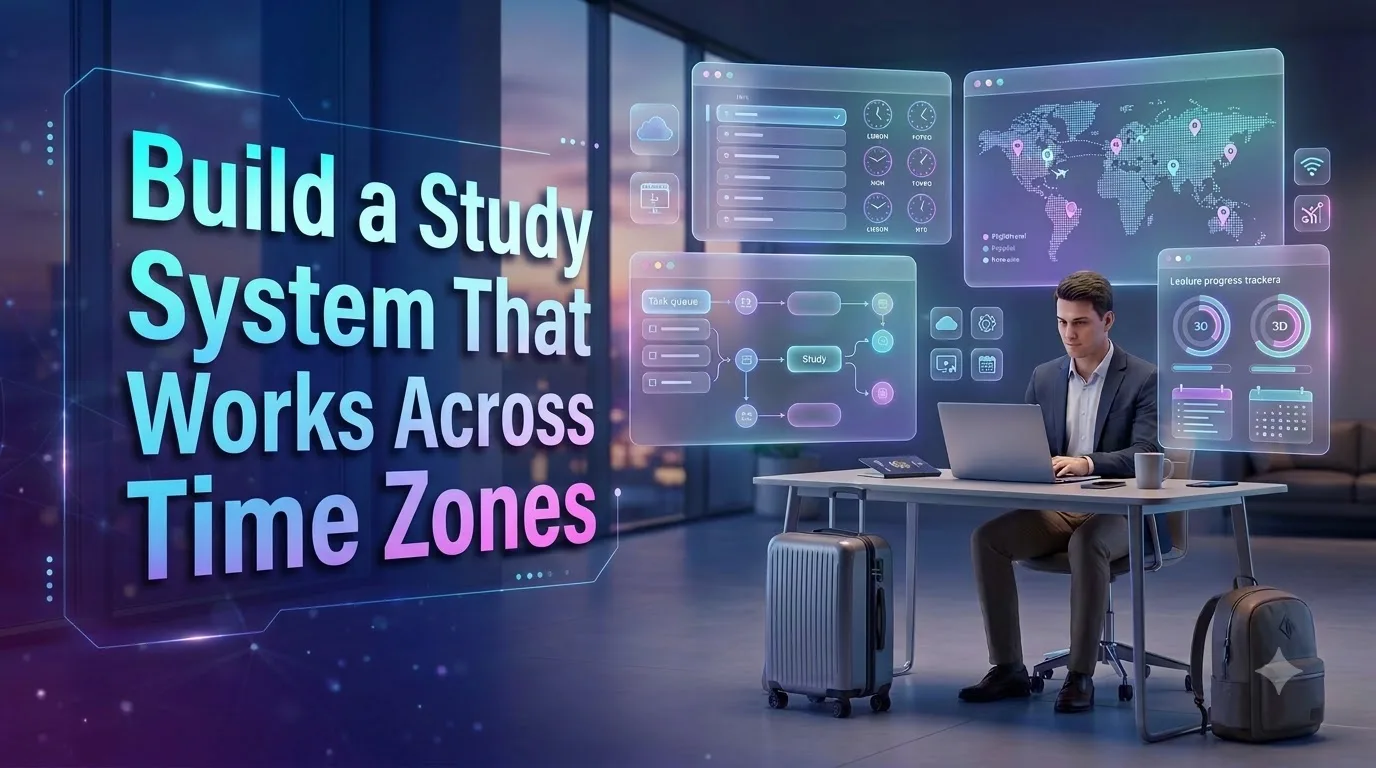
The Remote Student’s Autonomous Academy introduces a flexible, automation-supported study framework for students balancing online education, full-time employment, correspondence courses, and frequent travel. It explains how to coordinate academic deadlines across time zones, track asynchronous lectures, organize coursework in a centralized dashboard, and distribute study tasks around changing weekly availability.
Through practical scheduling methods, responsible AI assistance, offline study preparation, and weekly progress reviews, readers learn how to create a dependable academic routine without sacrificing flexibility or overlooking institutional requirements.
What This Article Covers
Studying remotely offers freedom, but managing university deadlines, recorded lectures, employment commitments, and constantly changing locations can quickly become overwhelming.
This comprehensive guide shows readers how to design a personalized remote study system using a reliable academic calendar, time-zone-aware scheduling, lecture progress tracking, and flexible task distribution. It explains how to break complex assignments into smaller actions, adapt study sessions around work shifts and travel, and prepare for unreliable internet connectivity.
Readers also discover how AI-assisted planning and approved automation tools can reduce repetitive administrative work while maintaining academic integrity, data privacy, and human control over important decisions.
Designed for online college students, correspondence learners, digital nomads, and working adults pursuing degrees, the framework emphasizes realistic planning, active learning, dependable deadlines, and sustainable academic progress.
Essential Learning Points
- Academic Dashboard: Centralize courses, assignments, deadlines, and next actions.
- Time-Zone Management: Preserve official deadlines while displaying local study times.
- Asynchronous Learning: Track lectures, comprehension, review sessions, and practice tasks.
- Adaptive Task Planning: Schedule coursework around employment, travel, and realistic availability.
- Responsible Automation: Use approved tools, reminders, and AI planning support.
- Academic Resilience: Prepare offline resources, submission buffers, and weekly progress reviews.
The Remote Student’s Autonomous Academy: A Study System That Travels With You
How to turn changing locations, unpredictable work schedules, asynchronous lectures and cross-time-zone deadlines into a manageable academic workflow—without building your entire life around a calendar.
Your Education Should Move With You, Not Fight Against You
Imagine opening your laptop in a quiet apartment in Denver. Your professor is teaching from New York. Your study partner is in California. Your online assignment closes late tonight, but your workplace just added another shift.
Next week, you may be somewhere else entirely. The coursework stays the same. Your available hours do not. A simple study calendar begins to feel like a second job.
The real challenge is not remembering to study. It is maintaining academic continuity when nearly everything surrounding your education keeps changing.
Online education gives students more freedom over where and, in many cases, when they learn. That freedom can be valuable for working adults, military-connected learners, caregivers, correspondence students, independent professionals and people traveling while enrolled in degree programs.
But flexibility is not the same as structure. A class might offer recorded lectures while still requiring fixed assignment deadlines. A degree may be entirely online while group projects, exams and instructor office hours depend on specific time zones.
The solution is an automated study system for remote students: a carefully designed collection of calendars, academic task lists, lecture trackers and scheduling rules that handles repetitive coordination while leaving the actual learning to you.
Why ordinary study planners often fall short
- Time-zone confusion: students mistake a course deadline for a local deadline.
- Invisible coursework: a recorded lecture gets watched but its associated task is forgotten.
- Disconnected tools: announcements, assignments, notes and reminders live in unrelated places.
- Constant rescheduling: location changes and work shifts make rigid study plans unreliable.
- False productivity: students organize material beautifully but spend too little time retrieving, practicing and applying knowledge.
The Autonomous Academy framework addresses these problems by separating academic requirements from personal scheduling preferences.
The Five Layers of an Autonomous Remote Study Academy
Think of the framework as a lightweight operating system for your education. It does not need to be complicated. Each layer should have one clear responsibility.
1. Academic Source of Truth
Your university’s Learning Management System (LMS), syllabus and official communications establish the authoritative requirements. Automation copies or references these details; it does not replace them.
2. Time-Zone Control
Store hard academic deadlines with their course time zone, while displaying personal study sessions in your current location’s time zone.
3. Task Distribution
Convert each assignment or lecture into smaller actions, then place them into realistic study windows based on deadlines, estimated effort and availability.
4. Learning and Review
Track not only whether you opened a lecture but whether you understood its ideas, practiced retrieval and applied them in relevant coursework.
5. Weekly Adaptation
Once a week—and whenever your location or work shifts change—review your capacity, detect conflicts and redistribute flexible study tasks. Preserve fixed submission deadlines, mandatory sessions and recovery time.
Software can create reminders, generate recurring review tasks and surface approaching deadlines. It cannot reliably decide whether you understood a difficult topic or whether an instructor has changed a requirement outside your synced tools. Those decisions need human verification.
How to Build Your Automated Remote Study System
You do not need a costly subscription stack to begin. Start with the learning platform your institution provides, one calendar and one manageable task database. Add additional tools only when they solve a recurring problem.
-
Inventory every course.
Collect course names, syllabus links, credit requirements, instructor contact information, assessment weights, assignment deadlines and required live sessions. Check whether deadlines follow the institution’s time zone, your account settings or another published rule.
-
Create your academic master calendar.
Add examination dates, live seminars, assignment deadlines and required appointments. When supported, subscribe to the LMS calendar feed instead of manually recreating every event. Verify imported dates against the actual course.
-
Build a unified task dashboard.
Create one task record for each meaningful academic action. Include its course, due date, time zone, expected duration, priority, status, content link and next step.
-
Separate hard commitments from flexible work.
Label exams, mandatory live sessions and submission deadlines as fixed commitments. Mark lecture viewing, flashcard review, research and draft writing as movable study tasks.
-
Connect lecture progress to assignments.
Record each lecture as a learning unit and link it to related readings, quizzes, projects and revision sessions. A watched lecture is a milestone, not proof of mastery.
-
Define three scheduling modes.
Prepare a normal academic week, a reduced-capacity workweek and a travel week. Each mode should protect the most important learning tasks without requiring unrealistic daily study targets.
-
Activate only helpful automations.
Start with a weekly planning reminder, an approaching-deadline alert and a recurring review template. Test each automation before trusting it with academic work.
-
Run a weekly academic control check.
Open your LMS, look for announcements and updated deadlines, reconcile your planner and rebuild the next seven days. This deliberate review keeps the system accurate.
How to Manage Online College Deadlines Across Time Zones
A digital nomad study planner needs two different approaches to time: one for obligations and one for personal work. Confusing the two can cause preventable missed deadlines.
The Two-Clock Rule
Clock A: Institution Time
This is the official time zone used for a class deadline, exam or scheduled event. Record it explicitly and preserve the original deadline.
Clock B: Local Study Time
This represents when you prefer to work in your current location. Study blocks may move, but fixed academic obligations do not.
For example, suppose a New York-based course closes an assignment at 11:59 p.m. Eastern Time. A student working from Chicago needs the deadline correctly displayed in Central Time, including any applicable daylight saving time changes. The underlying submission instant must remain identical.
Avoid storing a bare time such as “11:59 PM” without the course’s time-zone context. Also check whether your LMS interprets deadlines according to institution settings or your personal profile.
Five rules that reduce time-zone mistakes
- Attach an explicit time zone to important deadlines and live events.
- Use city-based zones such as America/New_York where supported rather than relying only on abbreviations.
- Maintain a second calendar-zone display for the institution when useful.
- Set a personal submission target earlier than the official closing time.
- Recheck calendar synchronization and daylight saving transitions after travel or schedule changes.
Google Calendar provides time-zone display settings, including additional time zones in supported desktop views. This can help students compare their current location with an instructor’s location without repeatedly performing mental conversions.
If an assignment closes Friday night, setting a personal target for Thursday protects you against travel delays, unstable Wi-Fi and last-minute upload problems. Keep the official deadline visible as well.
Build an Automated Asynchronous Lecture Tracking System
Asynchronous learning is often misunderstood as learning without a schedule. In reality, recorded instruction still needs a deliberate process for completion, comprehension and retrieval.
A reliable lecture tracker should answer four questions: What has been released? What have I watched? What have I understood? What action must happen next?
Use a five-stage lecture workflow
Record the lecture title, course, resource link, release date and any related assignment.
Schedule the viewing session. If playback controls are available, use a comfortable speed without sacrificing comprehension.
Write a short summary, define unfamiliar ideas and identify concepts requiring further explanation.
Close your notes and attempt to explain the main ideas. Use questions, flashcards or practice problems as appropriate to the subject.
Connect the lecture to an assignment, project, discussion or problem set and record your next action.
Example lecture-tracking database
| Field | Example | Purpose |
|---|---|---|
| Course | Statistics 201 | Organize content by subject |
| Lecture | Regression Basics | Identify the learning unit |
| Duration | 45 minutes | Estimate viewing time |
| Progress | Watched | Track process completion |
| Recall | Needs practice | Highlight knowledge gaps |
| Next action | Solve five practice problems | Turn learning into action |
What should be automated?
If your LMS and permitted integrations support it, automate the creation of an item when a lecture appears, the scheduling of a review reminder or the preparation of a recurring lecture-notes template.
Do not assume every new lecture can be detected automatically. LMS calendar feeds may include assignments and events without including all lecture releases or announcements.
When automated discovery is unavailable, use a short daily LMS check to capture new learning materials manually. A dependable manual step is better than an unreliable automation silently missing an entire module.
Automated Task Distribution for Students Who Change Locations
Traditional time blocking starts with an assumption: tomorrow will resemble today. For students who travel, work variable shifts or manage family responsibilities, that assumption is often inaccurate.
A stronger method starts with available capacity. You identify the study time that actually exists, protect immovable obligations and then assign academic work to the remaining sessions.
The capacity-first planning method
-
Estimate genuine availability.
Account for employment, travel, meals, sleep, caregiving and fixed appointments before calculating possible study hours.
-
Break projects into smaller tasks.
Replace “finish research paper” with specific activities such as finding sources, drafting an outline, writing a section and checking citations.
-
Mark task requirements.
Estimate duration, deadline, importance and whether internet access, quiet space or specialized software is required.
-
Assign high-attention work to your best windows.
Use reliable quiet sessions for analysis, writing and problem solving. Place shorter review tasks into flexible low-friction periods.
-
Reallocate when plans change.
Move flexible tasks to new available windows, keeping their priorities and deadlines intact. Escalate conflicts that cannot be solved through rescheduling.
A simple priority system
| Priority | Example condition | Recommended action |
|---|---|---|
| Critical | Important task due within 48 hours | Protect the next suitable work block and verify submission requirements. |
| Upcoming | Deadline approaching within the week | Reserve work sessions and a review buffer. |
| Flexible | Low-urgency review or reading | Place it in available shorter sessions. |
These are suggested planning rules, not institutional grading or deadline policies. Increase priority earlier when a project is large, heavily weighted or dependent on other people.
Choose a scheduling mode for your life
The Location-Adaptive Study Week
Keep travel days light when necessary. Download permitted materials ahead of time, preserve offline-compatible reading tasks and schedule demanding assignments for days with reliable connectivity.
Suggested mode: One protected academic anchor session plus portable review tasks wherever feasible.
Automation trigger: When weekly location or availability changes, run a manual rescheduling review or an approved planning workflow.
The Work-Shift-Compatible Academy
Enter job shifts before placing study blocks. Use larger uninterrupted periods for assignments and shorter breaks for lightweight review.
Suggested mode: Plan around published shifts rather than assuming every weekday evening is free.
Automation trigger: After a permitted work-calendar update, identify potential study conflicts and review alternative time blocks.
The Independent Correspondence System
Structure self-paced modules around meaningful internal milestones, while respecting institutional completion windows and exam rules.
Suggested mode: Weekly module targets, scheduled retrieval practice and a regular academic progress checkpoint.
Automation trigger: Generate recurring planning pages and reminders, then verify progress against course requirements.
If the work required exceeds the time available before a deadline, the correct response is not to cram more tasks into the calendar. Reduce optional commitments, seek appropriate academic support or contact the instructor early when necessary.
Best Tool Categories for a Digital Nomad Study Planner
A remote learning productivity system works best when applications have distinct jobs. Paying for overlapping features rarely fixes a poorly defined workflow.
| Tool | Practical role | Best fit | Check before choosing |
|---|---|---|---|
| Canvas LMS / Moodle | Institutional coursework and academic requirements | Students whose universities use these systems | Calendar feed support, update delays and university policies |
| Google Calendar | Time zones, appointments and study blocks | Students coordinating multiple schedules | Calendar permissions, alerts and syncing behavior |
| Notion | Databases, lecture trackers and recurring templates | Students wanting a configurable dashboard | Paid automation features and integration limitations |
| Todoist or similar task manager | Personal tasks, priorities and recurring reminders | Students who favor simple action lists | Current plan limits and calendar support |
| Obsidian or another notes app | Connected notes and long-term knowledge organization | Research-heavy study and concept linking | Sync setup, plugins and data storage preferences |
| Zapier / Make or approved integrations | Cross-application workflow automation | Users with repeatable supported integrations | Permissions, subscription limits and data privacy |
Three sensible setup options
Low-Complexity Setup
LMS + calendar + task list. Ideal when dependable scheduling matters more than sophisticated dashboards.
Choose this if: you are starting out or prefer fewer apps.
Dashboard-Based Setup
LMS + calendar + customizable study database. Useful for managing multiple courses, lectures and projects from a single dashboard.
Choose this if: you enjoy organizing complex coursework.
Integration-Based Setup
LMS + scheduling tools + task database + approved automation connectors. Useful when repetitive administration has become a genuine bottleneck.
Choose this if: you can maintain and verify integrations.
What Makes a Paid Planner Worth It?
Look for portable templates, clear documentation, usable exports, realistic automation claims, security controls, accessibility and transparent pricing or refund terms.
Avoid: paying for decorative dashboards you will not use.
A Working Student’s Week: How the Framework Functions
Consider an illustrative scenario: a student named Alex is pursuing an online business degree while working full-time. Alex spends one week in Austin and the next in Denver. The university follows an Eastern Time academic schedule.
Alex’s upcoming academic responsibilities include a recorded accounting lecture, a discussion contribution, a marketing project and a live group meeting.
Check course announcements, verify dates and enter the week’s work commitments. Reserve available study sessions without moving fixed academic deadlines.
Watch the accounting lecture, create a short concept summary and schedule a practice session.
Complete a small marketing research task during a predictable work-free window.
Attend the live group meeting at the correctly converted local time and capture agreed actions.
Submit the discussion contribution ahead of its official deadline and check for successful submission.
Work on the marketing project and resolve open questions before weekend travel.
Review lecture material, identify unfinished work, and adjust the following week for the next location.
This is a planning example, not a documented student testimonial or measured success story. The important insight is that changing location does not require rebuilding the entire academic system.
Alex updates the week’s availability and local time zone. Academic requirements remain anchored to the official university schedule.
Where AI Can Help—and Where Students Must Stay in Control
AI can be useful as a planning assistant, especially when a course includes large amounts of reading, recorded instruction and overlapping deadlines. But academic automation has important boundaries.
Appropriate AI-assisted tasks
- Turn your own approved study notes into review questions.
- Break a long assignment into smaller milestones.
- Suggest study blocks based on availability and task estimates.
- Identify possible conflicts between scheduled commitments.
- Explain difficult concepts and generate additional practice examples for verification.
- Help draft a polite clarification email to an instructor.
Tasks that require particular caution
- Submitting AI-generated coursework where institutional rules restrict it.
- Uploading restricted lectures, classmates’ information or private academic records into unapproved services.
- Using automatic transcription or recording when permission is unclear.
- Accepting AI-generated citations, answers or deadlines without verification.
- Allowing an agent to submit assignments or contact faculty without appropriate authorization and review.
Let automation collect permitted information and suggest a study plan. Require human review for deadline changes, task priorities, institutional communications and academic submissions.
A reusable AI planning prompt
Use the following prompt with information you are permitted to share. Remove private student data and confidential course materials.
Act as an academic scheduling assistant.

I am studying remotely while managing work
and possible changes in location.

COURSES:
[Enter course names]

OFFICIAL DEADLINES:
[Enter date, time, and time zone]

AVAILABLE STUDY WINDOWS:
[Enter realistic weekly availability]

TASKS:
[Enter task descriptions, durations,
priority and dependencies]

CURRENT LOCATION / TIME ZONE:
[Enter location or time zone]

NEXT WEEK'S LOCATION:
[Enter if changing]

Build a seven-day study plan.

Rules:
1. Never change official deadlines.
2. Separate hard commitments from flexible tasks.
3. Include breaks and realistic buffers.
4. Prioritize urgent and high-impact coursework.
5. Identify workload conflicts.
6. Show uncertainty when a time zone is missing.
7. Include lecture review and retrieval practice.
8. Ask me to verify the plan against my LMS.

Return:
- Daily study blocks
- Priority actions
- Potential conflicts
- Flexible tasks
- A short weekly review checklist.
AI output is a suggested schedule, not a verified academic calendar. Confirm dates and requirements using official course information.
The 20-Minute Weekly Remote Student Template
The weekly review is the control center of this entire framework. It connects academic reality with personal availability.
Choose a regular weekly review period. During weeks of heavy travel or employment changes, revisit the plan whenever new conflicts appear.
Minutes 0–5: Verify
Open the LMS, review announcements, check assignments and confirm hard deadlines.
Minutes 5–10: Assess
Review work shifts, travel plans, appointments, energy and realistic study availability.
Minutes 10–15: Distribute
Assign important coursework to suitable time blocks, accounting for task size and dependencies.
Minutes 15–20: Protect
Confirm notifications, set earlier personal targets, preserve buffers and prepare an alternative plan for disruptions.
Copy this weekly academic control sheet
REMOTE STUDENT WEEKLY CONTROL SHEET

Week beginning:
Current location:
Local time zone:
Institution time zone:

COURSES
1.
2.
3.

HARD ACADEMIC DEADLINES
Task:
Official date/time:
Official time zone:
Verified in LMS? Yes / No

WORK & TRAVEL
Work commitments:
Travel days:
Connectivity concerns:
Fixed appointments:

STUDY CAPACITY
Available study hours:
Most reliable quiet sessions:
Low-energy review opportunities:

TOP THREE PRIORITIES
1.
2.
3.

LECTURE STATUS
Available:
Watched:
Reviewed:
Practice required:

RISKS
Upcoming conflicts:
Unclear instructions:
Outstanding questions:
Backup study window:

WEEKLY CHECKPOINT
Most important completed task:
Unfinished work:
Next academic milestone:
Next review date:
🎯 Start With One Week, Not a Perfect System
Your first goal is not to automate everything. It is to complete one academic week with fewer missed details, clearer priorities and a manageable workload.
Your Seven-Day Autonomous Academy Launch Plan
Audit your online courses and collect authoritative deadlines and links.
Configure the calendar, institution time zone and relevant alerts.
Create the task database and break down the next important assignment.
Create your lecture tracker and complete one retrieval practice session.
Set up one recurring planning reminder or task template.
Test the system using a hypothetical work or location change. Check time-zone conversions and notifications.
Review what worked, remove unnecessary complexity and prepare the next week.
How to tell whether your system is helping
Instead of obsessing over how many automations you have built, review simple personal indicators:
- Are official deadlines accurately recorded and checked?
- Are important assignments starting early enough?
- Are lectures followed by meaningful retrieval or practice?
- How often must you reschedule study blocks?
- Are you maintaining reasonable rest and personal boundaries?
These are self-review indicators, not validated measures of academic success. Compare your own results over time and adjust the system around the specific difficulties you encounter.
Seven Mistakes That Can Break a Remote Study Workflow
01. Trusting sync without checking
Calendar subscriptions can update with delays. Verify important changes in your LMS.
02. Ignoring time-zone context
A correct date with an incorrect time zone can still result in a late submission.
03. Automating before organizing
Duplicating poorly structured tasks only creates faster confusion.
04. Overloading every day
A plan needs space for interruptions, realistic transition time and recovery.
05. Confusing watching with learning
Passive lecture completion should not replace recall and practical application.
06. Ignoring privacy permissions
Do not connect third-party services to institutional data without checking access rules and information security.
07. Changing tools too often
A familiar system used consistently can be more valuable than repeatedly migrating to new productivity apps.
Test Your Remote Study System Knowledge
Choose an answer mentally, then open each flashcard to reveal the correct answer and its explanation. Try completing all five before reviewing your notes.
Flashcard 01 / 05 What should happen to an official university deadline when you travel to a different time zone? ↻ Tap to reveal answer
The deadline remains fixed. Your calendar should convert its display to your current time zone without changing the actual instant.
Flashcard 02 / 05 Which action best demonstrates meaningful learning after watching a recorded lecture? ↻ Tap to reveal answer
Retrieval and application provide more useful feedback about understanding than simply finishing playback.
Flashcard 03 / 05 What should happen when a new work shift conflicts with a flexible study session? ↻ Tap to reveal answer
Flexible work can move. Official academic deadlines remain unchanged, and unresolved conflicts require deliberate action.
Flashcard 04 / 05 Which part of a study system should be treated as the authoritative source for academic requirements? ↻ Tap to reveal answer
Your official LMS, syllabus and instructor communications take precedence over third-party planners or AI output.
Flashcard 05 / 05 What is the most sustainable starting point for remote study automation? ↻ Tap to reveal answer
A small, trusted system reduces complexity. Additional automation should solve a clear problem rather than create new maintenance work.
Frequently Asked Questions About Remote Study Automation
1. How can I automate my online college study schedule?
Begin by collecting official deadlines from your university’s learning management system. Add them to a calendar, create actionable tasks, allocate study sessions around your real availability and set recurring planning reminders.
Automate repetitive coordination where supported, but verify academic requirements and schedule conflicts manually.
2. What is the best study planner for a digital nomad student?
The best choice depends on your institution, preferred workflow and integration requirements. A calendar with reliable time-zone handling, a simple task manager and an LMS-linked course overview may be sufficient.
Students needing more complex tracking may prefer a customizable database. Evaluate privacy, syncing capabilities and mobile usability before paying for software.
3. Can AI automatically track lectures and assignments?
Some supported integrations can automate parts of lecture and assignment tracking. However, complete automation is not universal.
Access depends on the LMS, institutional permissions, APIs and available integrations. AI should not be assumed to know about unpublished announcements or newly changed academic requirements.
4. How do full-time employees successfully organize online degree studies?
Start with work schedules and fixed obligations, then identify realistic study capacity. Divide coursework into manageable tasks, protect reliable study windows and review the next week’s deadlines regularly.
A flexible plan, assignment buffers and early communication about unavoidable conflicts are more dependable than attempting to study at the same hour every day regardless of circumstances.
5. Is an automated study system better than a traditional planner?
Automation can reduce repetitive manual work, but it is not automatically better for every student. A paper planner or simple digital calendar may be enough for a stable schedule.
Automated workflows become particularly useful when locations, work shifts, recurring tasks and course deadlines create frequent scheduling changes. Their value depends on accuracy, usability and consistent review.
Make the Autonomous Academy a Weekly Habit
A good academic system is not something you finish building and never touch again. It becomes a dependable routine that changes as your courses, responsibilities and learning needs evolve.
During your first week, focus on deadline accuracy. In your second week, improve task estimates. In your third week, refine your lecture review process. By the fourth, evaluate which automations actually reduce effort.
Explore these related learning paths
- AI study scheduling: understand how adaptive planning can respond to changing availability.
- Spaced repetition calendars: build regular retrieval practice into your academic schedule.
- Personal student knowledge bases: connect notes, assignments and resources.
- Visual study planning: use mind maps and spatial organization to understand complicated subjects.
- Exam workflow design: coordinate revision, practice tests and deadlines.
Each of these skills can become a separate part of a larger, personalized student productivity system. Learn them gradually and connect only the components you genuinely need.
A More Flexible Life Needs a More Dependable Study System
Remote education creates opportunities that were once difficult to imagine. A student can maintain employment while earning a degree, study from different cities or continue learning while managing significant family commitments.
Yet the freedom of remote learning becomes meaningful only when the academic system supporting it is reliable.
The Remote Student’s Autonomous Academy offers a practical way to approach that challenge: preserve official requirements, coordinate time zones, organize asynchronous instruction, distribute tasks around real availability and review the system before small problems become costly ones.
The goal is not to make education completely automatic. The goal is to spend less effort managing education and more attention actually learning.
Build an Academy That Fits Your Real Life
Start with the weekly control sheet. Connect one calendar, organize your next important assignment and schedule a short review. Return each week to improve the workflow.
Save this guide for your next change of location, work schedule or academic term.
Sources and Further Learning
The following primary sources provide documentation for the calendar, learning-platform, automation, privacy and publishing topics discussed in this guide. The Autonomous Academy itself is an editorial workflow framework, not a proprietary university methodology or independently validated academic intervention.
- Google Calendar Help — Time Zones. Official documentation for working with multiple time zones and calendar displays. Read the documentation
- Instructure Canvas — Calendar Feed. Guidance on subscribing to Canvas calendar information using Google Calendar. Read the Canvas guide
- Moodle Documentation — Using Calendar. Information about calendar exports and related scheduling functions. Explore Moodle documentation
- Notion Help — Database Templates. Official explanation of reusable database templates and recurring entries. View Notion templates guidance
- Notion Help — Database Automations. Details of available automation triggers, actions, limitations and plan requirements. Review automation documentation
- U.S. Department of Education — Protecting Student Privacy. Official FERPA guidance and information concerning education records and third-party data sharing. Review student privacy guidance
- Google Search Central — Helpful, Reliable Content. Publisher guidance concerning authorship, trustworthiness, expertise and reader-first content. Read content quality guidance
- Google Search Central — Discover. Official recommendations for eligible content, useful original perspectives and representative high-quality images. Read Discover documentation
Documentation reviewed for this article in October 2026. Software availability, institutional configurations, product features and subscription terms may change. Check the latest official information before implementation.
Compliance Note and Important Disclosures
Educational information: This article provides general study-organization and productivity guidance. It does not constitute an official university policy, accreditation opinion, professional academic advising service or guarantee of academic results.
Institutional requirements: Always follow the official syllabus, course announcements, academic calendar, examination rules, university procedures and instructor directions. When information conflicts, verify it directly with the institution.
Academic integrity and AI: AI tools should support learning and permitted organizational work, not unauthorized academic submissions, plagiarism, fabrication or violations of university policies.
Privacy and FERPA: Students and institutions should consider applicable privacy obligations and data-sharing restrictions. Do not upload protected student records, private classroom information or restricted instructional content to unapproved third-party tools. FERPA applicability and permissions depend on the specific circumstances.
Recordings and copyrighted content: Recorded lectures, transcripts, course materials and institutional resources may carry copyright, licensing and recording restrictions. Obtain required authorization before copying, transcribing, redistributing or processing them through outside services.
Technical accuracy: Calendar subscriptions and automations can fail, lag or omit items. Users remain responsible for verifying important deadlines and submissions. Test time-zone behavior before depending on any automated workflow.
Financial and commercial disclosure: Named applications are examples, not endorsements or paid rankings. No pricing, performance improvement or commercial return is guaranteed. Product terms should be confirmed on official provider websites. Any affiliate or sponsorship relationship added by the publisher must be clearly disclosed.
Experience and editorial transparency: The examples in this article are illustrative, not documented customer case studies. No firsthand testing results, student outcomes or expert credentials are claimed. The publisher should provide accurate authorship information and disclose any relevant AI-assisted editorial process according to its publishing policy.
Search and Discover visibility: SEO techniques, semantic organization, structured data and high-quality presentation do not guarantee rankings, traffic, Google Discover placement or sales.
Accessibility and WordPress compatibility: This design uses native HTML controls and scoped CSS. Appearance may vary by theme. Review contrast, keyboard navigation, mobile layouts and rendering before publication. Some WordPress roles or security configurations may restrict custom styles.
The Remote Student’s Autonomous Academy
10 Practical Study Frameworks for Digital Nomads, Working Students, and Independent Online Learners
Master time zones, asynchronous lectures, changing locations, academic deadlines, and smarter study automation—with a system built around your real life.
ORIGINAL EDITORIAL COLLECTION • 10 INSIGHTSStudy Anywhere. Stay Organized Everywhere.
Your classroom might be a quiet home office, an airport lounge, a shared apartment, or a rented room thousands of miles from your university. For today’s remote student, learning is no longer tied to one physical location. Yet academic responsibilities still depend on calendars, deadlines, assignments, and consistent progress.
The Remote Student’s Autonomous Academy is a practical framework for connecting these moving pieces. Rather than relying on a rigid daily timetable, it combines trustworthy academic information, adaptable planning, lecture progress tracking, and carefully selected automation.
The following ten original editorial analyses explore the challenges students commonly face when balancing online degrees, employment, travel, and independent learning. Each entry offers an actionable idea that can be adopted separately or combined into a larger study system.
One Academic Dashboard Can Replace the Chaos of Constantly Checking Multiple Apps
Remote students often lose valuable attention switching between learning platforms, email notifications, separate calendars, cloud notes, and personal task lists. The problem is not necessarily the number of applications. It is the absence of a reliable place to understand what needs attention next.
An academic control tower solves this by presenting a coordinated view of coursework without pretending that every application performs the same function. Your university’s learning management system remains the authoritative source for course requirements, while your personal dashboard summarizes upcoming responsibilities and work progress.
Create records for each course, assignment, examination, lecture, and related project. Every actionable task should have an owner, due date, next step, expected duration, status, and link to its original source. This makes a dashboard useful rather than merely attractive.
A working student taking accounting, economics, and business communication courses could view all major deadlines in one place, then open the original course page whenever instructions need confirmation.
The distinction matters: your dashboard organizes attention, but it does not override university information.
Build a dashboard with five essential fields: course, task, official deadline, status, and next action. Add advanced automation only after the basic information is consistently accurate.
How Digital Nomad Students Can Manage University Deadlines Across Time Zones
Studying across time zones introduces a scheduling problem that ordinary to-do lists frequently overlook. A deadline has an official date, time, and time zone, while the student experiences that deadline according to their current local clock. Changing locations should never silently change an academic obligation.
Consider a student attending a New York-based online university while living temporarily in Chicago. If an assignment is due Friday at 11:59 p.m. Eastern Time, the equivalent deadline in Chicago is 10:59 p.m. Central Time. The deadline itself has not moved. Only its local representation has changed.
This leads to the Two-Clock Method. Clock One represents fixed institutional commitments: exams, live seminars, and submission deadlines. Clock Two represents personal study time, which can adapt to travel, employment, and preferred working hours.
A well-configured calendar helps preserve this distinction. Where supported, display the institution’s time zone alongside your current zone and use named geographic zones to account for daylight saving rules. Always check the LMS’s specific deadline interpretation.
Students can also reduce last-minute risk by establishing a personal submission target earlier than the official deadline. That extra buffer is particularly useful during travel or unreliable connectivity.
Preserve official deadlines in their original time-zone context. Convert only their display for local planning. Set an earlier personal completion target, and verify deadline changes at the source.
Automated Asynchronous Lecture Tracking: Measure Understanding, Not Just Video Completion
Asynchronous learning offers a powerful advantage: students may be able to watch instructional content at times that fit their circumstances. But flexibility creates a hidden problem. Watching a video can feel productive even when important concepts remain unclear.
A lecture tracker should therefore distinguish content consumption from actual learning progress. A useful workflow begins when the lecture becomes available and ends only after the student has reviewed and applied its essential concepts.
Organize each lecture through five stages: available, scheduled, watched, reviewed, and applied. Link the record to related assignments, readings, discussion questions, or practice problems. A lecture about statistical regression, for example, might be followed by a short explanation written from memory and several practical exercises.
Where supported, automation can create recurring review reminders or generate note templates. However, learning platforms do not universally expose newly released lectures through calendar subscriptions or integration tools. A manual check may still be required.
The most meaningful progress indicator is not simply whether the video played to the end. It is whether the learner can retrieve its ideas and use them appropriately.
Track each lecture through five stages: Capture → Schedule → Watch → Recall → Apply. Attach one specific learning action to every completed viewing session.
Why Working Students Need Flexible Study Blocks Instead of Rigid Daily Routines
Many study schedules assume a predictable working day, regular evenings, and uninterrupted weekends. That assumption can make otherwise sensible productivity advice unsuitable for people balancing full-time employment and a degree.
A working student’s schedule is often constrained by job shifts, commuting, household duties, fatigue, and unexpected changes. Building an academic plan before accounting for these commitments can produce an impressive calendar that is almost impossible to follow.
A shift-first system reverses the process. Enter employment hours and fixed personal responsibilities first. Identify genuinely available periods, then place demanding academic tasks into suitable study windows. Use shorter periods for reading, retrieval questions, or organizing existing notes when those activities fit.
Students can maintain three flexible operating modes. A normal week supports planned learning sessions. A busy workweek prioritizes urgent academic obligations. A disrupted week focuses on preserving fixed commitments and addressing unavoidable conflicts.
The goal is not to study at the same hour every day. It is to create a reliable relationship between available time and academic priorities while respecting sleep, recovery, and realistic personal capacity.
Enter work commitments first. Protect your most dependable learning windows. Plan a reduced-capacity mode for demanding weeks instead of treating every schedule change as a failure.
The Weekly Location Reset: How to Keep Studying When Your Environment Changes
Changing cities can alter much more than the time displayed on a clock. A student may encounter different internet quality, unfamiliar accommodation, new transportation demands, noisy surroundings, or fewer dependable study hours.
A location-adaptive study framework acknowledges these differences instead of forcing every week into the same template. Begin each upcoming week with a location review. Identify travel days, connectivity limitations, available quiet spaces, and work commitments before distributing flexible academic tasks.
For example, a student relocating from Austin to Denver might move research and writing tasks to a reliable workday, reserve a shorter review activity for the travel day, and check whether any live class meetings need local time conversion. None of these changes should alter official submission deadlines.
The strongest planning unit is often the week rather than the individual day. Weekly planning offers enough structure to protect important academic responsibilities while allowing daily adjustments when circumstances change.
Students should also maintain an alternative study location and a connectivity backup where practical. Flexibility becomes more useful when potential disruptions have already been considered.
Before each location change, review time zones, travel commitments, internet access, quiet workspaces, and the next seven days of academic deadlines. Reassign flexible tasks only after those checks.
Smarter Automated Task Distribution Starts With Breaking Assignments Into Dependencies
One of the most common weaknesses in study planning is treating a large academic assignment as a single task. “Finish research paper” reveals very little about how much time is required, what must happen first, or which stages can be completed independently.
A more effective approach breaks academic projects into connected actions. A research paper may require choosing a question, identifying credible sources, building an outline, drafting sections, checking citations, revising arguments, and submitting the finished document.
These tasks have dependencies. Certain stages should occur before others, even when the student’s available study hours change. An automated planner that ignores task order might schedule polishing before essential research is complete.
A dependency-aware workflow records the estimated effort and prerequisite for every stage. Flexible tasks can then be assigned to appropriate windows without destroying the project’s logical sequence. High-concentration work should receive the most dependable available sessions.
Include review and submission buffers. If the required workload exceeds available time, the system should identify the conflict rather than hide it behind increasingly crowded calendar entries.
Define each task using: next action + estimated effort + official deadline + prerequisite + required resources. Schedule the tasks in dependency order and preserve review time.
Calendar Feeds vs. Manual Deadline Tracking: Which Approach Is More Reliable?
Connecting a university calendar to a personal scheduling application can reduce repetitive entry and make approaching coursework easier to see. However, calendar feeds should not be confused with instantaneous, complete academic synchronization.
Some learning management systems allow students to subscribe to assignment and event feeds. Canvas, for example, documents calendar subscriptions, but its Google Calendar guidance warns that updates may take up to 24 hours to appear. That delay matters when an instructor changes an assignment shortly before its deadline.
Manual tracking offers direct control but requires consistent attention. Automated subscriptions reduce some repetitive work but can introduce delays, unsupported event types, or unnoticed failures. Neither approach eliminates the need to verify official requirements.
A hybrid system is usually the more defensible design. Use available calendar feeds for convenient visibility. Keep official course pages and announcements as the reference for important academic obligations. Reconcile discrepancies during a scheduled check.
This is especially valuable for students with several online courses or frequent schedule changes. Convenience supports planning, while deliberate verification protects accuracy.
Use automated calendar feeds for convenience, manual checks for authoritative verification, and personal reminders for earlier completion targets. Never assume synchronization is immediate or comprehensive.
What Happens When the Internet Fails? Build a Study System That Survives Travel Disruptions
The promise of studying from anywhere depends heavily on reliable access to learning materials and submission systems. Yet airports, hotels, temporary accommodations, and shared networks do not always provide the connectivity students expect.
An offline-first study approach reduces the amount of progress that depends on uninterrupted internet access. Where permitted, students can prepare local copies of readings, personal notes, assignment instructions, and relevant reference material before travel.
Consider a student with an upcoming essay deadline who must spend several hours traveling. Drafting an outline or reviewing previously saved notes may still be possible without an active connection. Uploading the assignment, however, may require internet access, authentication, and confirmation from the LMS.
An effective backup plan therefore separates offline-capable work from online-only obligations. It also includes a secure storage strategy, reasonable device protection, and a clearly identified submission window before the actual deadline.
Students should avoid assuming that a locally saved document, queued message, or unfinished upload represents a successful academic submission.
Before traveling, identify which work can be completed offline, confirm that access is permitted, protect stored information, and reserve a reliable internet window for required submissions.
AI Study Assistants Can Organize Coursework, but Should They Make Academic Decisions?
Artificial intelligence can support remote students by transforming their permitted task information into planning suggestions, identifying possible schedule conflicts, and breaking complex projects into manageable steps. These uses can be valuable when students face changing schedules or large workloads.
The limitation is equally important: an AI-generated academic plan is not an official university schedule. An assistant may misunderstand a deadline, overlook an unstated course requirement, or produce a convincing recommendation based on incomplete information.
Privacy creates another consideration. Lecture recordings, student records, classmates’ contributions, and restricted course materials should not be uploaded into unapproved services. Applicable institutional policies, permissions, and student privacy obligations need to guide tool selection.
A responsible AI workflow keeps the student in control. AI can suggest a weekly schedule, draft a personal revision plan, or explain a concept. The student verifies accuracy, approves important changes, and follows academic integrity rules when completing assessed work.
The best academic assistant supports independent judgment rather than attempting to replace it.
Automate planning assistance, not unauthorized submissions. Verify deadlines, protect educational data, respect course AI policies, and retain human approval for consequential actions.
The Weekly Review That Keeps a Remote Study System Useful Month After Month
Even a carefully designed study system can gradually become inaccurate. Assignments change, workloads increase, new responsibilities appear, and plans that once felt realistic stop reflecting a student’s current circumstances.
A weekly academic reset prevents these small changes from accumulating into confusion. The process begins by checking the official LMS for updated instructions, upcoming deadlines, new lectures, and unresolved communications.
Next, compare the academic workload with genuine personal availability. Review employment, travel, family responsibilities, expected study time, and the quality of your available learning environment.
Then decide what deserves attention first. Protect fixed academic commitments and assign flexible tasks to realistic work sessions. Identify knowledge gaps requiring practice rather than spending all your available time reorganizing the planner.
Finally, evaluate whether the system itself helped. Were deadlines accurate? Did planned study blocks correspond to actual capacity? Were lectures followed by useful retrieval practice? Which recurring administrative task might be simplified?
A sustainable autonomous academy is never completely hands-off. Its strength comes from combining useful automation with regular, intelligent human review.
Use a suggested 20-minute review: five minutes to verify academic requirements, five to assess availability, five to allocate tasks, and five to inspect conflicts and prepare backups.
Four Building Blocks of the Autonomous Academy
You do not need to implement all ten ideas simultaneously. Begin with a dependable foundation and expand only when the additional complexity solves a real academic problem.
Maintain reliable university deadlines and keep links to official course sources.
Coordinate changing local schedules without altering fixed academic commitments.
Connect recorded instruction to summaries, retrieval practice, and assignments.
Update priorities, resolve conflicts, and adjust your plan as circumstances change.
Sources and Further Learning
These resources support the platform-specific and privacy considerations discussed above. All ten editorial entries are newly written analyses rather than reproductions of these sources.
- Google Calendar Help: Time-zone configuration, calendar displays, and daylight saving considerations. Official documentation
- Instructure Canvas: Subscribing to the Canvas calendar feed through Google Calendar and understanding synchronization delays. Official calendar guide
- U.S. Department of Education: FERPA information concerning education records and privacy responsibilities. Student privacy guidance
The Remote Student’s Autonomous Academy
Test your knowledge of time-zone management, asynchronous learning, digital nomad study planning, task automation, and remote academic productivity.
Quiz Completed!
Your Answer Review
This quiz is intended for educational self-assessment and general remote-study skill development. It is not an accredited examination or official university assessment. The results do not predict academic success. Always confirm institutional deadlines, time-zone policies, academic integrity requirements, and permitted AI or automation practices with your educational institution. Quiz answers are processed locally in your browser by this code and are not submitted to a server by this component.
0 of 10 tasks completed
✓ Academy Setup Complete!
You've marked all ten setup actions complete. Test the workflow during a real academic week, verify your university deadlines, and continue improving your study system as your schedule changes.
0 of 10 tasks completed
✓ Academy Setup Complete!
You've marked all ten setup actions complete. Test the workflow during a real academic week, verify your university deadlines, and continue improving your study system as your schedule changes.
📝 Key Takeaways & Action Notes
Jot down insights, next steps, or thoughts from this post. Your notes save automatically in your browser.
- What is the #1 breakthrough insight you took away today?
- What is one concrete action you will take in the next 24 hours?
- What questions or ideas do you want to research further?
Stay ahead with exclusive updates
Join our community. Get curated industry trends, actionable guides, and fresh resources delivered straight to your inbox.